Articles by "Apps"
Showing posts with label Apps. Show all posts


Looking at your phone is obvious Most of the applications you download are free. We all love free App.

Free apps often cost privacy when installing them on your device.

Most of us have been unreading the parameters when we import those apps into our phones, we just click 'agree to continue' without reading.

You must read the inventors and know what items you leave in their hands such as phone numbers, your text messages, locations and other tablet items.

Recent research conducted by specialized experts at ESET center revealed the presence of 29 existing Google Play Store applications that are VIRUS TROJAN

These viruses that use different names have the ability to invade other existing applications in your phone and send all the information to hackers (hackers).

Those apps that have the virus in it, also have the ability to create Fake Logins Page (Phishing) so if you compromise, then your confidential information like bank details, email, password (password or password) of your social networking are taken and sent. for the miners.


As salaam aleikum, IDM - Internet Download Manager v6.29 build 2
Activated. No need to crack.

More full and activated software at @SwahiliTech

Increase download speeds by up to 5 times, resume and schedule downloads.


Features of IDM v6.30 build 2

Below are some noticeable features which you’ll experience after IDM v6.30 build 2 free download. also Internet Download Manager v6.29 build 2 Activated. No need to crack.
  • Amazing application which can be used for downloading your videos quickly.
  • Got a very intuitive and user friendly interface with all the tools resting at the top.
  • Integrates well when all major web browsers like Internet Explorer, Google Chrome, Opera and Safari etc.
  • Can also schedule the downloading process by setting the date period of time.

IDM 6.28 Build 17 Technical Setup Details


  • Software Full Name: IDM v6.30 build 2
  • Setup File Name: IDM6.30_b2_Activated.zip
  • Full Setup Size: 5.3 MB
  • Setup Type: Offline Installer / Full Standalone Setup

  • Compatibility Architecture: 32 Bit (x86) / 64 Bit (x64)
  • Latest Version Release Added On: 27th feb 2017
  • Developers: IDM


Hey there, dear readers of this blog is thanks for coming back and reading in our blog, may have happened to you in your social network and all of a sudden you turned on facebook and met a video that attracted you and then failed to find out and did not know how to download the video, then today i have come up with a way to allow you to download any video from facebook without any hassle let us go straight to the below.

STEP 1:
first of all download the Fb Video Downloder App here

STEP 2:
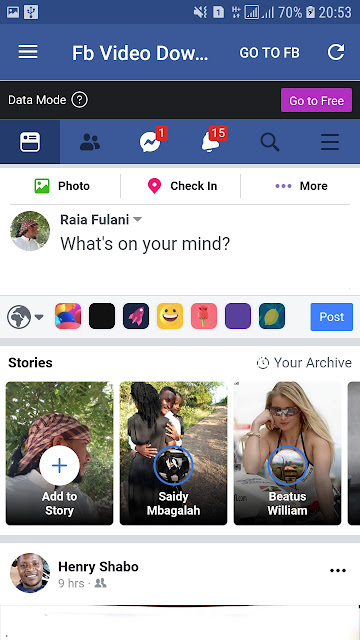
open your Fb video downloder app and click on the section labeled GO TO FB Then log in to your facebook account


STEP 3:
then find the video you need to download from facebook and then touch or display the video


STEP 4:
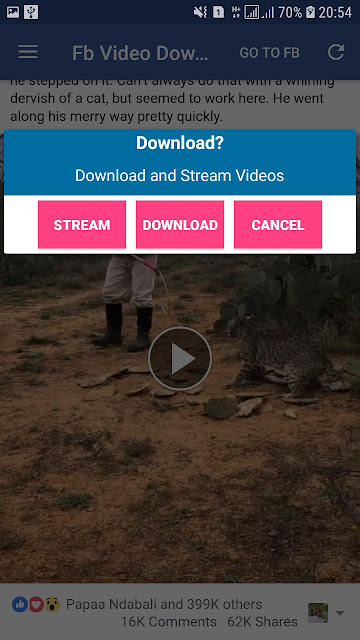
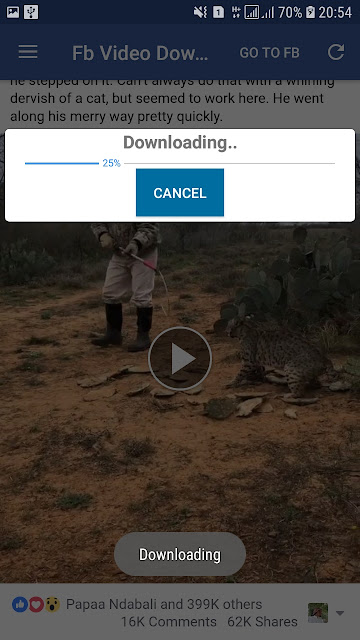
you will see the option as shown in the image above if you need to view it before downloading it click on the Stream section if you need to download click on the text section to download


STEP 5:
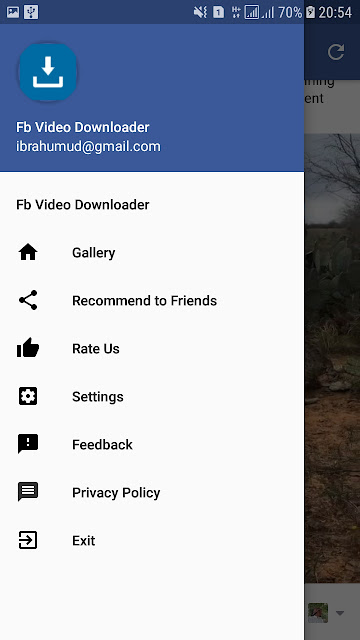
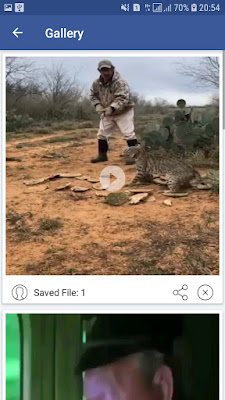
if you need to see the number of videos you downloaded through the Fb Video Downloader app click on the Gallery section


STEP 6:
then you will see all your videos will also be stored in the phone memory


END:
By now you will already know how to download facebook videos if you comment on this article you can ask me in the comment box and I will reply more quickly Enjoy